

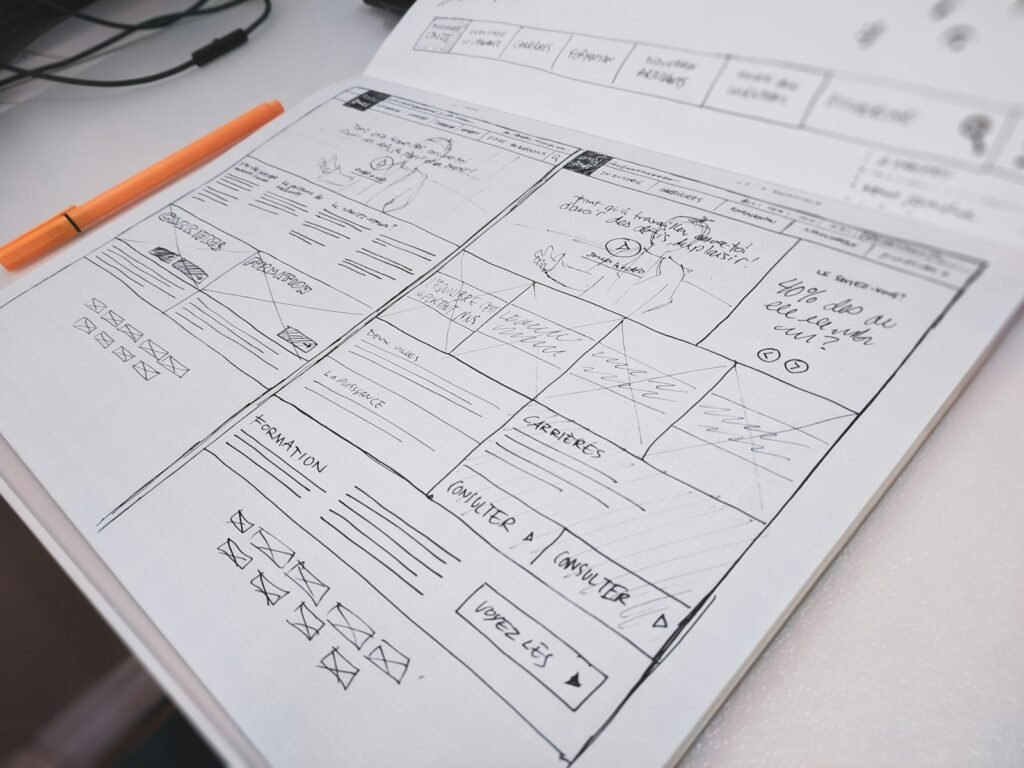
Website redesign checklist, in short: before you relaunch, record your current traffic and rankings, list every URL, set one clear goal, plan content and calls to action page by page, build mobile-first, test speed, forms and accessibility on a staging site, then launch with 301 redirects and watch Search Console for 30 days.
Last updated November 9, 2026 · By eSmarts Solution
A website redesign checklist keeps a relaunch from costing you calls, rankings and leads. Most failed relaunches break on the boring parts: a forgotten redirect, a contact form that emails nobody, a service page that disappeared. This guide walks US small business owners through the 15 steps we use before, during and after a relaunch, with examples for contractors, dental offices, restaurants and law firms.
If you are still deciding whether your site needs a refresh at all, start with our free website audit tool.
What Should a Website Redesign Checklist Include?
A complete website redesign checklist covers three phases: protect what already works, plan the new site around business goals, and launch without breaking anything.
| # | Step | Phase | Why it matters |
|---|---|---|---|
| 1 | Benchmark traffic, calls and form leads | Before | Proves the new site performs better |
| 2 | Export every current URL | Before | Missing pages lose rankings |
| 3 | Find your top pages and keywords | Before | These must survive |
| 4 | Set one main goal and a few KPIs | Before | Settles design debates |
| 5 | Review competitors and customer questions | Before | Shows what buyers expect |
| 6 | Plan the sitemap and page structure | Planning | One page per service |
| 7 | Write or update content before design | Planning | Design fits the message |
| 8 | Place calls to action on every page | Planning | No hunting for the phone number |
| 9 | Design mobile-first | Planning | Local search is mostly mobile |
| 10 | Plan for speed and accessibility | Planning | Slow pages lose customers |
| 11 | Build a 301 redirect map | Launch | Keeps old links and rankings |
| 12 | Test everything on a staging site | Launch | Catches broken forms first |
| 13 | Carry over SEO settings and tracking | Launch | Titles, schema, analytics |
| 14 | Launch at a quiet time and resubmit your sitemap | Launch | Fewer visitors affected by fixes |
| 15 | Monitor for 30 days | After | Spots drops early |
Phase 1: What Should You Do Before a Website Redesign?
1. Benchmark your current results
Write down the last 3 to 6 months of traffic, phone calls from the site, form submissions and the pages people visit most. Google Analytics and Google Search Console give you most of this for free. A roofer should know how many quote requests the old site brings in each month.
2. Export every URL
Pull every page, post, PDF and image URL from your sitemap and platform. This list becomes the base of your redirect map in step 11.
3. Protect your top pages and keywords
In Search Console, sort pages by clicks. Any page that brings real visitors, such as a dentist’s “emergency dental care” page, should keep its topic, its main headings and, ideally, its URL.
4. Set one main goal
Pick the outcome that matters most, such as more calls, booked estimates or online orders, and two or three numbers to track. “Look more modern” is not a goal.
5. Study competitors and customer questions
Note what the top three local competitors show above the fold, and list the questions your front desk hears every week. Those questions become page content and FAQs.

Phase 2: How Do You Plan the New Site?
6. Plan the sitemap and page structure
Give every main service its own page, and add city pages only where you actually serve customers. A plumber with one “Services” page listing ten jobs will rank for far less than one with separate pages for water heaters, drain cleaning and repiping. Our guide to local SEO for small business explains how page structure supports rankings in your city.
7. Write content before design
Draft headlines, service descriptions, proof points and FAQs first. When content arrives last, the site launches thin. Real photos of your team and your work beat stock images.
8. Put a call to action on every page
Every page should answer “what do I do next?” A click-to-call phone number in the header, a short quote form and a clear button on each service page are the basics. See our website must-haves for home service businesses for examples that work for HVAC, plumbing and roofing companies.
9. Design mobile-first
Design the phone layout first. Make the phone number tappable, buttons thumb-sized and menus short.
10. Plan for speed and accessibility
Google’s Core Web Vitals guidance treats a Largest Contentful Paint under 2.5 seconds, Interaction to Next Paint under 200 milliseconds and Cumulative Layout Shift below 0.1 as good. Accessibility matters too: the Department of Justice’s guidance on web accessibility and the ADA lists basics like color contrast, alt text, captions, keyboard navigation and labeled form fields. Build them in from the start instead of patching later.
Choosing a platform? Read our comparison of WordPress vs Shopify vs Wix.
Phase 3: How Do You Launch a Redesign Without Losing Rankings?
11. Build a 301 redirect map
Match every old URL from step 2 to its closest new page and set permanent (301) redirects. Google’s site move guide recommends redirecting each old URL straight to its final destination, avoiding redirect chains and keeping redirects for at least a year. Do not send everything to the home page; Google may treat that as a missing page.
12. Test on a staging site
Before going live, test on a private copy of the site:
- Submit every form and confirm the email arrives at the right inbox
- Tap the phone number on a real phone
- Click every menu item and button, then run a broken-link check
- Check pages on iPhone, Android, tablet and desktop
- Make sure the staging site is hidden from search engines
13. Carry over SEO settings and tracking
Copy page titles, meta descriptions, alt text and schema from your best pages, reinstall Google Analytics and call tracking, and turn off the “discourage search engines” setting staging sites use.
14. Launch at a quiet time
Launch early in the week during a slow period, not on a Friday afternoon, then submit your new XML sitemap in Search Console and update the website link on your Google Business Profile if the URL changed.
15. Monitor for 30 days
Keep the last part of your website redesign checklist running for a month: check Search Console’s Pages report for 404 errors, compare calls and form leads with your benchmark from step 1, and fix problems weekly. Small dips in the first few weeks are normal while Google recrawls; steady drops are a signal to recheck redirects.
How Long Does a Website Redesign Take?
It depends on page count, platform and how ready your content is. A five-page brochure site moves much faster than an online store or a law firm site with dozens of practice-area pages. The biggest delay is usually waiting on content, photos and approvals, which is why step 7 comes so early in this website redesign process.
Common Website Redesign Mistakes to Avoid
At eSmarts Solution we see the same problems on sites that skipped a website redesign checklist:
- Deleting pages that ranked, with no redirect
- Launching with placeholder text or a blog that lost its posts
- Hiding the phone number behind a menu on mobile
- Heavy sliders and videos that slow the home page
- Forgetting to reconnect analytics, so no one can measure results
- No plan for updates after launch (a website care plan solves this)
Budget is the other common question. Our guide to small business website cost explains what drives the price of a new or redesigned site.
Website Redesign Checklist FAQ
Will a website redesign hurt my SEO?
It does not have to. Rankings usually drop when pages are deleted, URLs change without 301 redirects or important content is cut. Keep your top pages, redirect every old URL and carry over titles and meta descriptions, and most sites hold or improve their positions.
Should I keep my domain name when I redesign?
Yes, in most cases. Your domain carries your history with Google and your customers, and changing it adds a full site move on top of the redesign. Only change it for a strong reason, such as a rebrand.
How often should a small business redesign its website?
There is no fixed schedule. Redesign when the site is hard to update, slow on phones, out of date with your services or no longer bringing in leads. Regular updates between redesigns keep it current for longer.
Can I redesign my website without changing platforms?
Yes. Many redesigns keep the same platform, such as WordPress, and replace the theme, layout and content. Switching platforms makes sense when your current one cannot do what you need, such as online booking or a larger store.
Ready to Plan Your Redesign?
Use this website redesign checklist with your team or your web designer, and you will relaunch with fewer surprises. If you would rather have experts handle it, our website redesign services cover strategy, content, design, redirects, SEO and launch testing for small businesses across the US, from home service companies to medical practices and law firms. Call us at (469) 423-8424 or request your free custom quote.